Veil
what it does
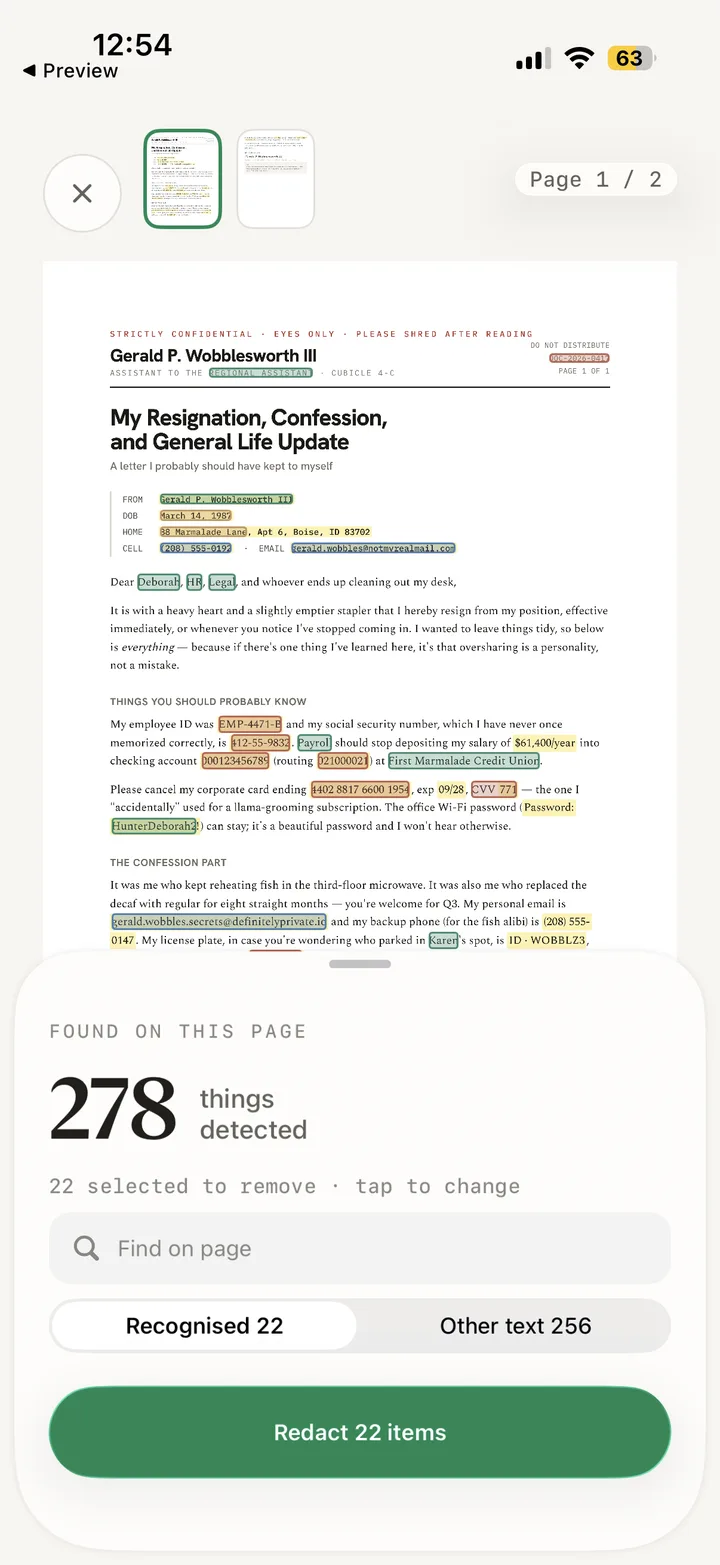
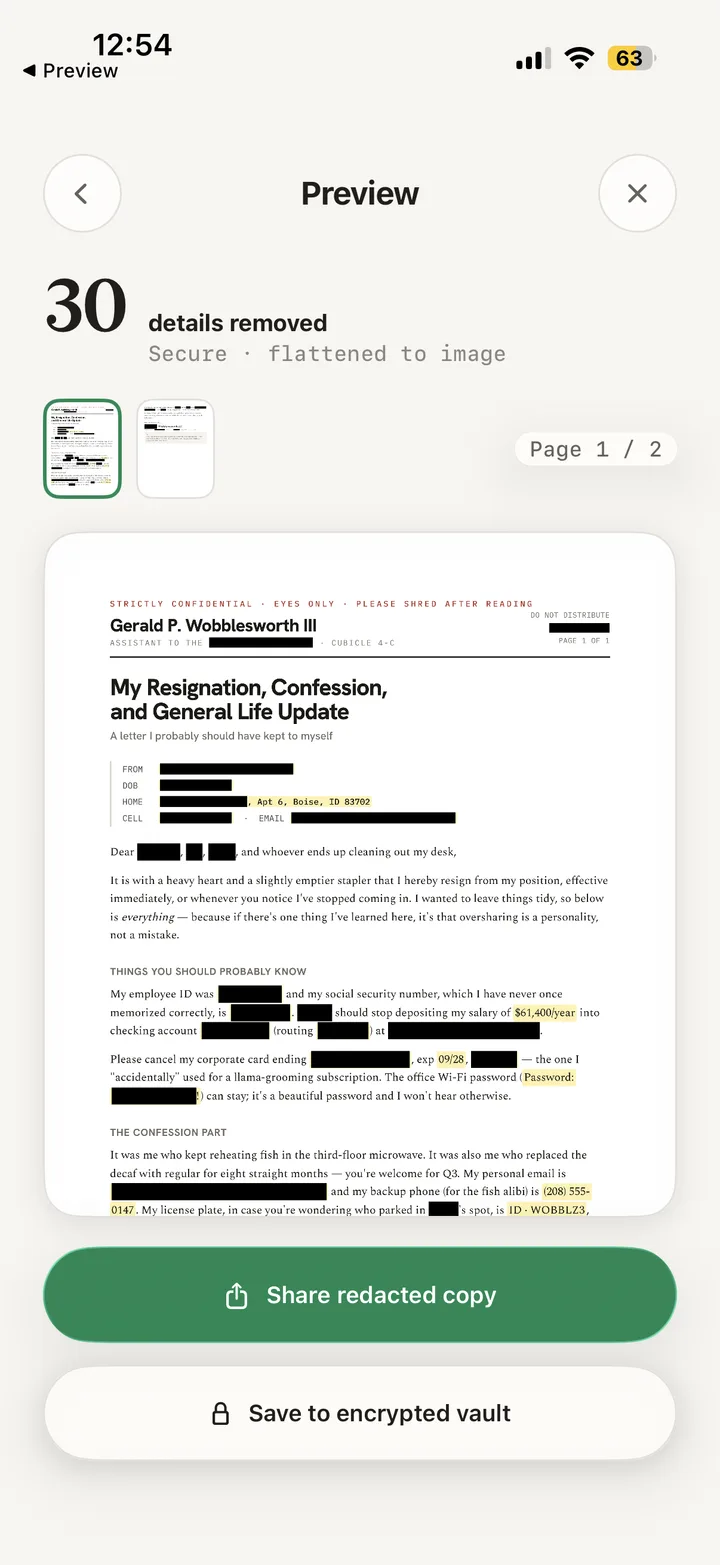
People paste documents into chatbots to get help with them — a tax letter, a payslip, a contract — and hand over their name, address and account numbers in the process. Veil is the step in between: photograph or import the document, let it find the personal details, remove the ones you choose, and share the redacted copy instead. Detection, redaction and storage all happen on your iPhone; the original never leaves the device.


free to try · €9.99 one-time unlock · no subscription
how it works
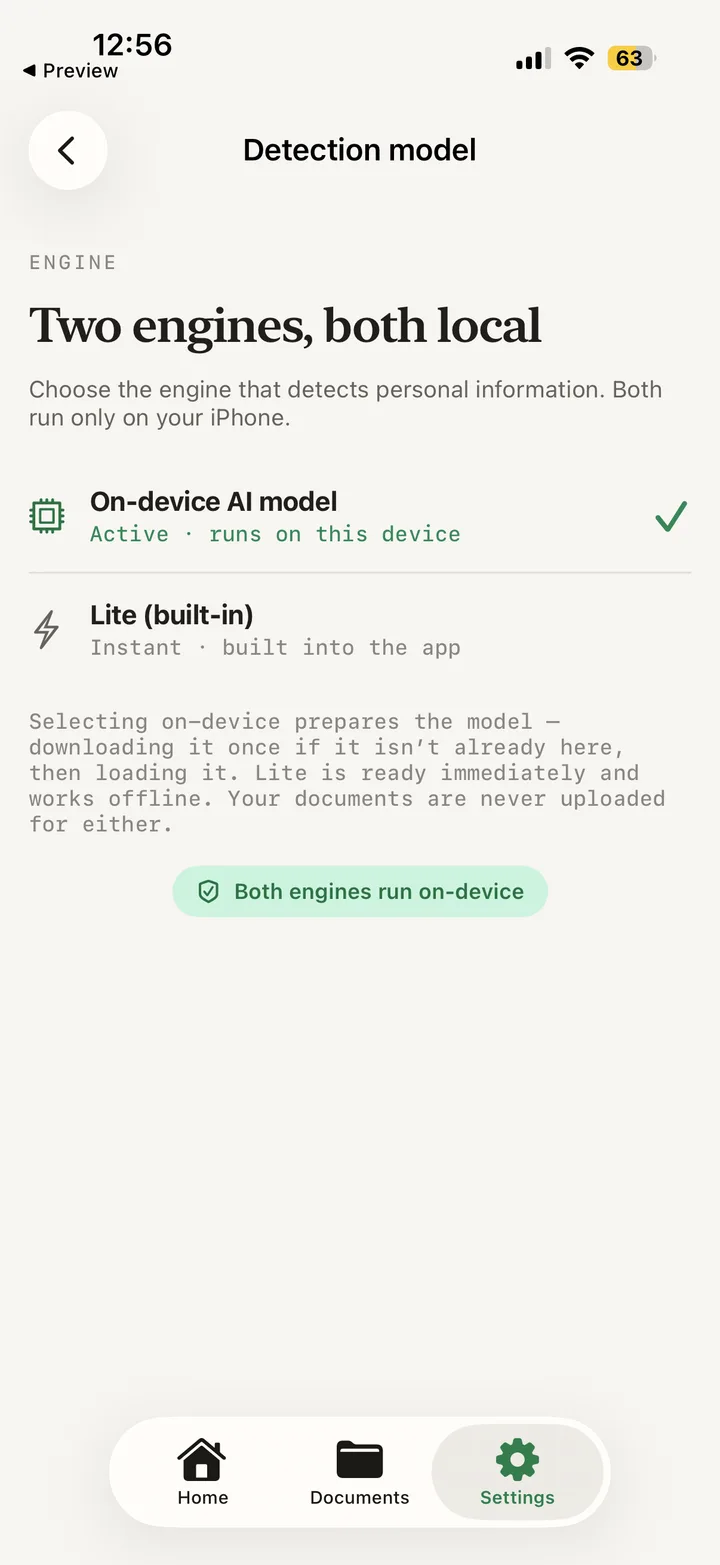
Two engines, both local
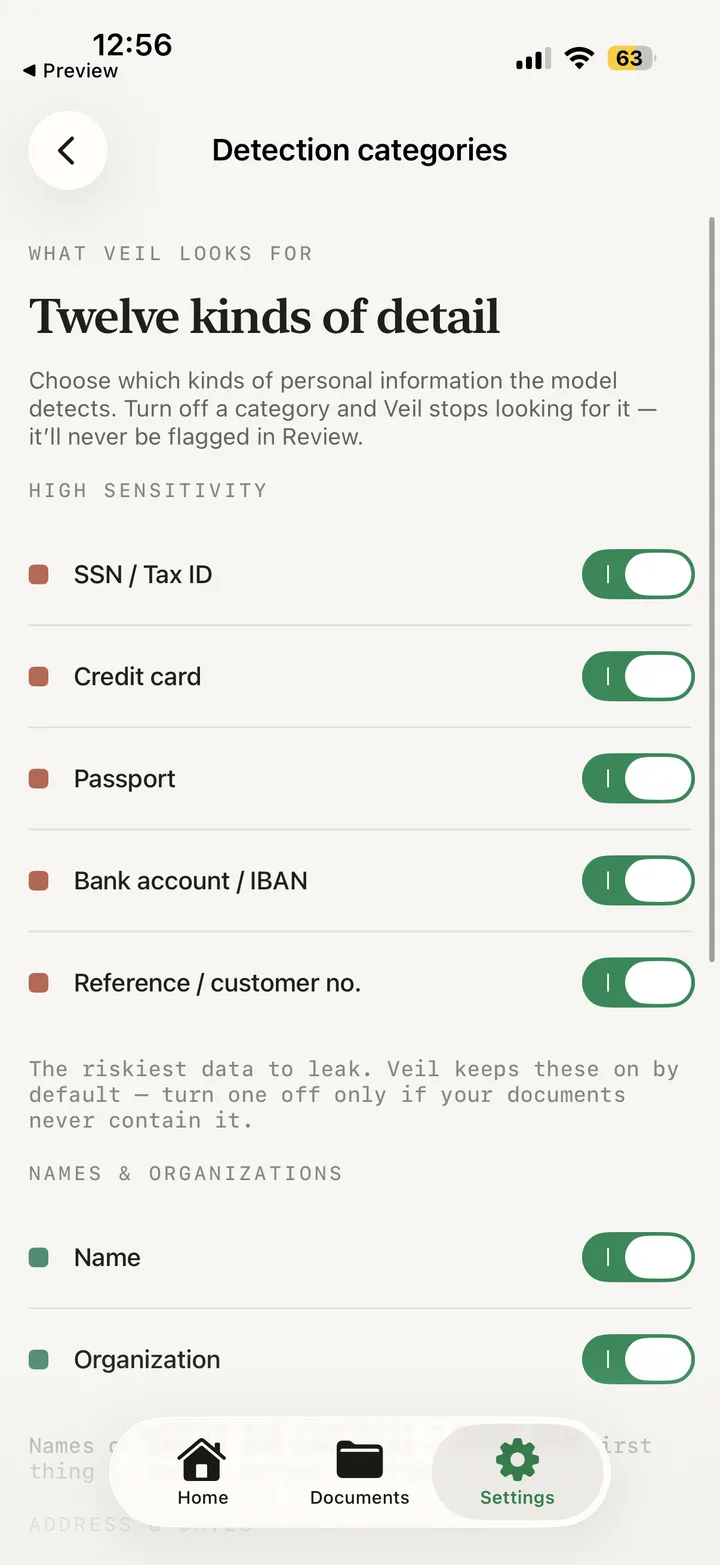
An on-device AI model finds personal details in context, or a built-in lightweight engine runs instantly with no download. Neither one uploads your document. You decide what goes
Every detection is listed and selectable, alongside the full recognised text — so you can remove something the model never flagged, and keep something it did. Redaction that actually removes
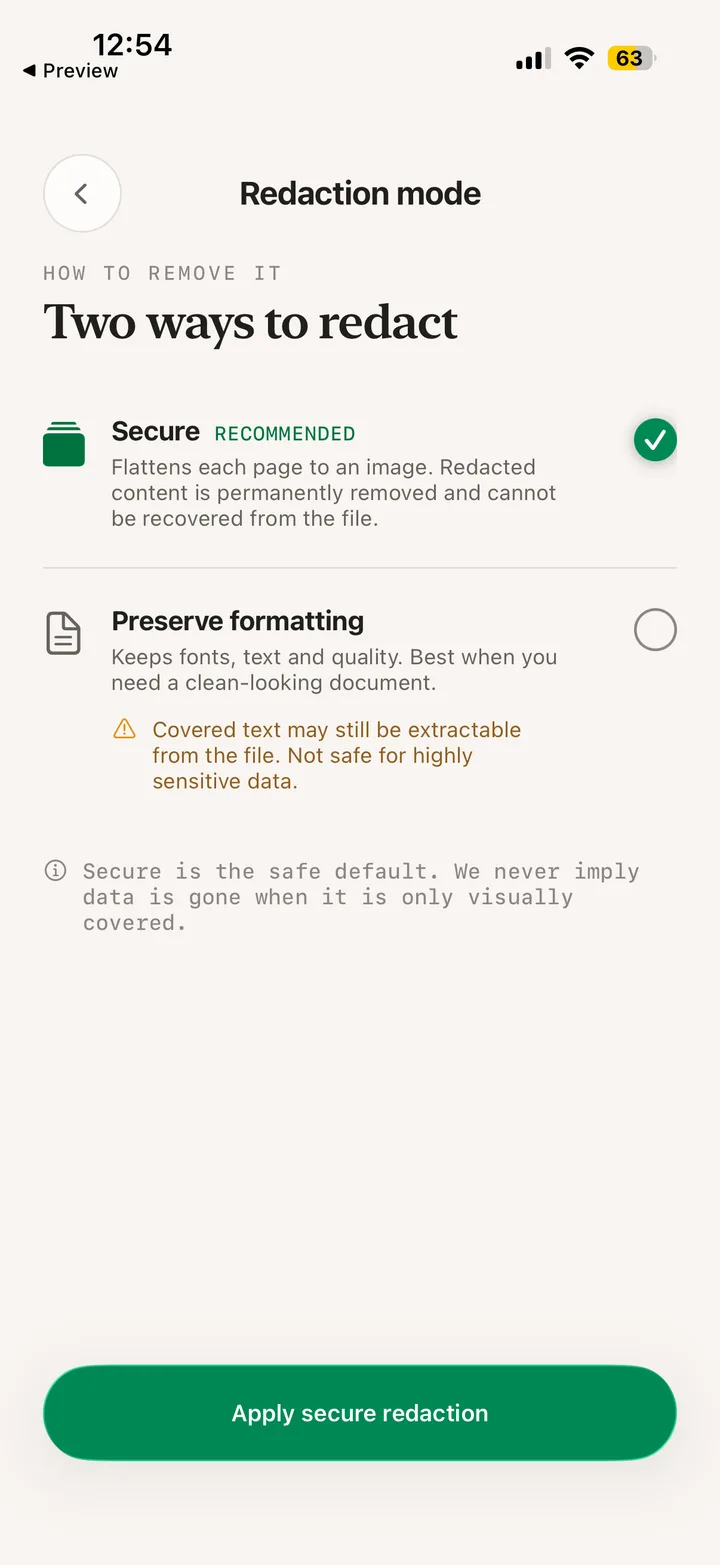
Secure mode flattens each page to an image, so redacted content cannot be recovered from the file. The alternative preserves formatting — and says plainly that covered text may still be extractable. Always-redact terms
Add the details that are yours — your name, your email — and Veil strips them from every document, even when the model would not flag them. Terms are stored encrypted and matched on-device. An encrypted vault
Keep redacted documents in an encrypted store on the device, or share and keep nothing at all. stack
| built with |
|---|
| SwiftUI |
| Swift 6 Concurrency |
| On-device AI (MLX) |
| Vision OCR |
| CryptoKit |
| Fully offline |
| iOS 18+ |
writing
support
Contact, privacy and common questions
screens